 ASCENSION
Texts & Calls
Inside Ascension: The Spire, three coach characters (Kael, Ilyra and Professor Strix) help people plan their day and follow through. People can choose to get their reminders as text messages, and separately as phone calls in the characters' AI-generated voices. Both are optional and off by default.
How people opt in
- In the Ascension app, open the Mentors tab and tap Text messages. Texts show as Off until the person turns them on.
- Enter a mobile number.
- Tick the box next to the consent statement. The box starts unticked, and texts cannot be turned on without it.
- Tap Turn on texts. A confirmation text arrives right away.
The consent statement on the screen reads, word for word:
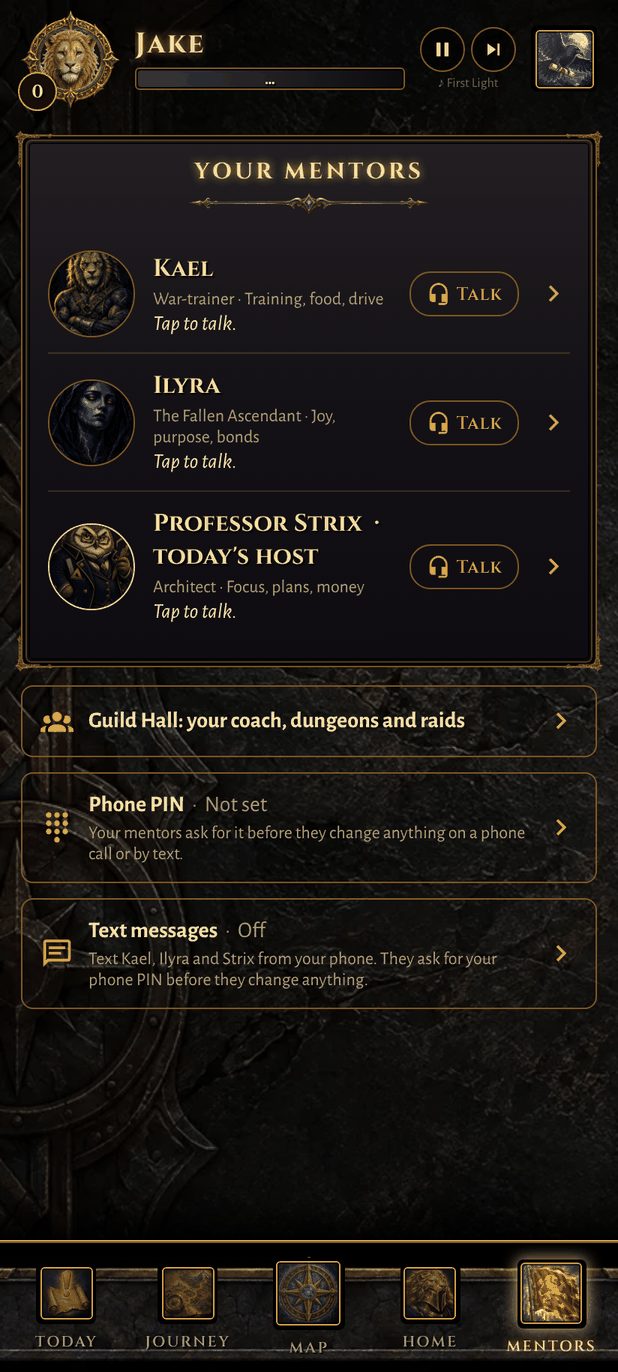
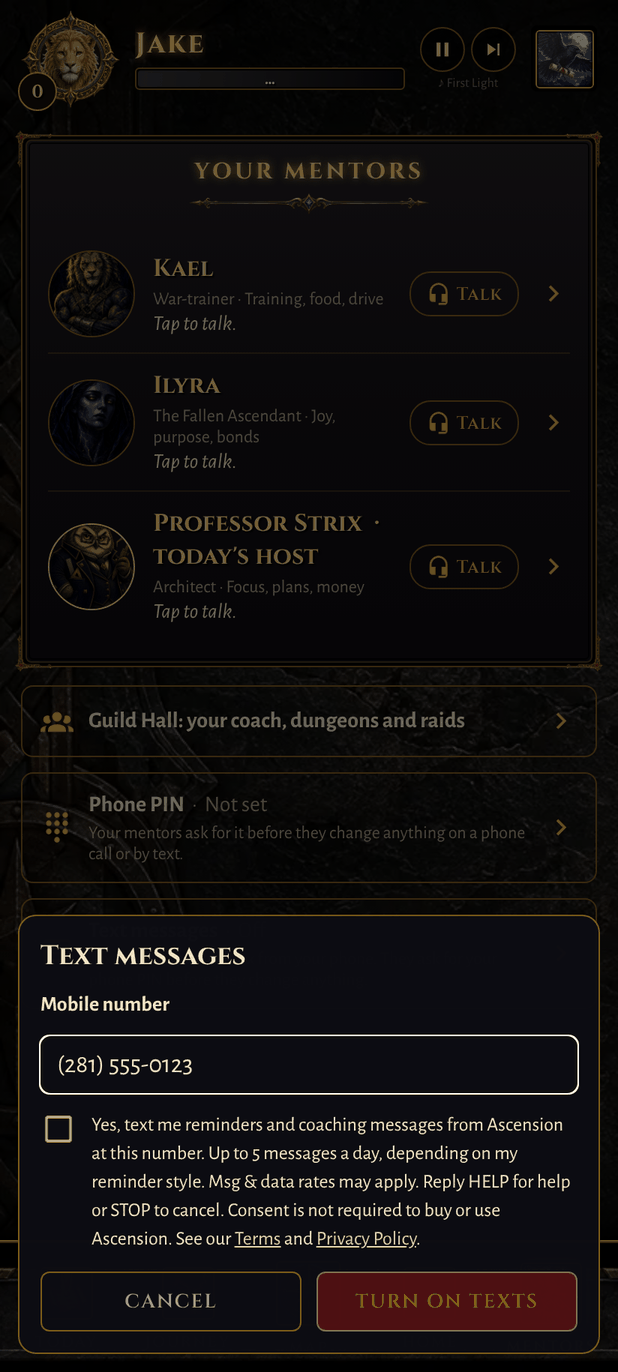
Screenshots from the Ascension app: the Mentors tab (left) and the Text messages opt-in screen (right).
What people receive
| What | Details |
|---|---|
| Messages | Reminders about the daily Power List the person set, check-ins, and replies from the coach characters. People can text back to talk with them. |
| How often | Set by the person's reminder style: Gentle (1 to 2 a day), Persistent (3 to 4 a day) or Drill Sergeant (up to 5 a day). |
| Quiet hours | No texts or calls during the quiet hours the person sets. |
| Cost | Message and data rates may apply. |
Example messages
- Ascension: Kael here. 2 left on your Power List today: 20-min walk and meal prep. Reply DONE when you finish. Reply STOP to opt out.
- Ascension: Morning. Ready to set today's Power List? Reply here or open the app. Msg & data rates may apply. Reply STOP to opt out.
Stopping and help
- Reply STOP to any text to stop all texts. Reply START to turn them back on. Texts can also be turned off in the app: Mentors tab, then Text messages, then Turn off texts.
- Say "stop calling" on any call, or turn calls off in Settings, to stop calls.
- Reply HELP to any text, or email support@ascension-1.live.
Privacy
Mobile information will not be shared with third parties or affiliates for marketing or promotional purposes. Text-messaging opt-in data and consent are not shared with any third parties. Read the full Privacy Policy and Terms.